




When developing with Xamarin in Visual Studio you have a lot of options for Android Emulators. You can go with the VS Emulators for Android powered by Hyper-V, Genymotion, or the out of the box x86 HAXM powered Android Emulators from Google (a few are installed for you already). It looks though that with some of the latest updates to Windows and VS when you go to launch them you get an error message that they can’t be launched. If you look at the logs you will see something like this:
Error message:
qemu-system-i386.exe: -drive if=none,index=0,id=system,file=C:\PROGRA~2\Android\ANDROI~1/system-images\android-23\google_apis\x86\/system.img: could not open disk image C:\PROGRA~2\Android\ANDROI~1/system-images\android-23\google_apis\x86\/system.img: Could not open ‘C:\PROGRA~2\Android\ANDROI~1/system-images\android-23\google_apis\x86\/system.img’: Permission denied
This is because of where VS installs the Android SDK, which is sad :(
Simple fix…
Run AVD Manager or Visual Studio as Administrator:
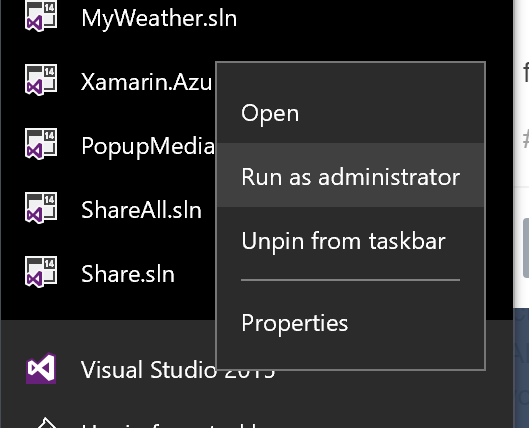
Now it will start up again!