




When I present, I am constantly zooming in and out to help attendees focus in on what I am talking about. It is also nice because it makes all the text nice and large so it is easier to see from the back of the room or if someone has reduced vision. One thing that has always bothered me, is that the mouse pointer is always tiny and the typing cursor is so thin. Well, not anymore with the latest versions of Windows 10, that pack a new feature to adjust mouse & cursor size. Simply type: Windows + "mouse" and you will find "Change mouse pointer size":
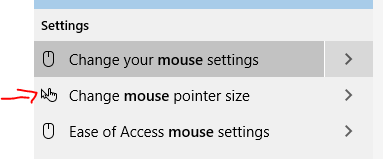
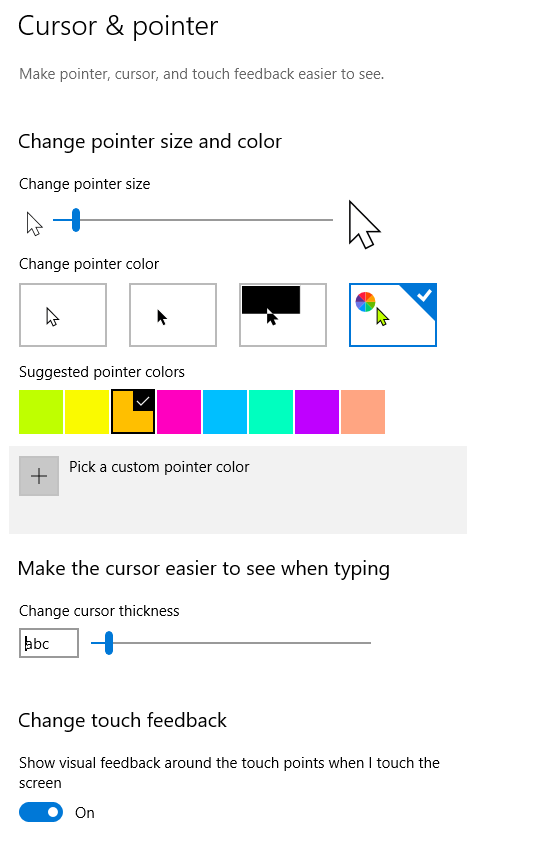
This thing is packed full of features to enable you to control your mouse, cursor, and even touch feedback. Adjust:
- Pointer size
- Pointer color
- Cursor thickness
- Touch feedback indications
Check this out:
Go turn this on today, and thanks to Scott Hanselman for tweeting this out!