




One thing that always bothered me when developing Xamarin.Forms applications for Android is that for some reason the toolbar area looked flat... well because it was flat:
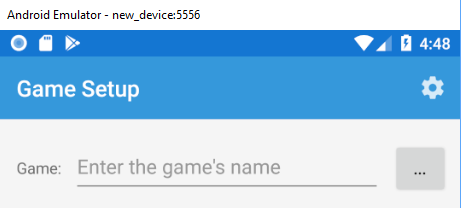
See how it just melds together with the rest of the applicaton. Where is that lovely drop shadow that we know and love?!?!?!
Well, it is a bit complicated as that elevation drop shadow comes from the Toolbar and Xamarin.Forms applications only have 1 today that you don't really have access to. I have asked to extend the SetElevation platform specificly over on GitHub, but for now we will need to fix this up in our Toolbar.axml. This means that if you are using a TabbedPage and have tabs on top then you will NOT want to do this.
If we head over to the Toolbar.axml inside of the Android project and go to the source tab we will add a new property on the Toolbar:
android:elevation="6dp"
That is it! We are now good to go:
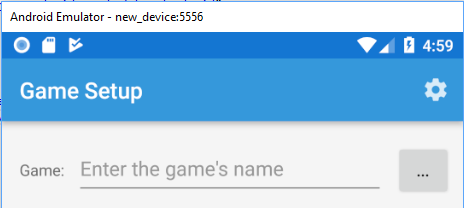
Look at that beautiful drop shadow! It is the little things in life that make me happy.